
How to Verify Contractor Licenses: Quick Steps for Hirers
Quickly verify contractor licenses with your state's online portal. Ensure you're hiring qualified professionals without delays. Get started now!

You can confirm a contractor’s license right now using your state’s official verification portal. No phone calls required, no waiting. Here is the fastest path:
- Find the contractor’s full legal name, business name, or license number.
- Go to your state contractor licensing board or department of labor website.
- Enter the identifier, read the record, and screenshot or print the result.
- Check bond status, insurance or workers’ comp coverage, and any disciplinary history.
Head to your state’s portal now and run the search before you sign anything.
Key Takeaways
Verifying a contractor’s license through an official state portal is the single most reliable step before hiring for any regulated trade.
| Point | Details |
|---|---|
| Use official state portals | Search your state licensing board or department of labor site before signing any contract. |
| Record key fields | Copy license status, expiration date, bond status, workers’ comp, and disciplinary history. |
| Verify subcontractors separately | Each sub needs an independent license, COI, and active workers’ comp account. |
| Act on red flags immediately | Pause payments and contact the board if a license is expired, suspended, or missing. |
| Chambanow for general labor | Use Chambanow to hire local workers quickly for non-licensed day work, with state verification still required for regulated trades. |
Table of Contents
- How to verify contractor licenses: a step-by-step checklist
- What does a contractor record actually tell you?
- What to do when a license is missing, invalid, or shows red flags
- How to verify subcontractors and workers’ comp coverage
- State verification tools worth knowing by name
- The verification step most hirers skip
- Hire local workers faster with Chambanow
- Sources
How to verify contractor licenses: a step-by-step checklist
Before you open any portal, gather every identifier the contractor has given you. State registries commonly accept searches by license number, business name, qualifying party name, or UBI, and having all of them on hand prevents dead ends when one field returns no results.
- Collect identifiers. Write down the contractor’s full legal name, business name, license number, UBI or employer account ID, and the name of the qualifying party (the individual whose credentials back the license).
- Go to the official state portal. Search for “[your state] contractor license lookup” and confirm the URL ends in .gov or belongs to a named state agency.
- Select your search type. Most portals let you search by license number, business name, or individual name. License number is the fastest; business name works when you only have a company name.
- Read the full record. Do not stop at “active.” Scroll through every field.
- Screenshot or print the record. Date-stamp it. If a dispute arises later, you need proof of what the record showed at the time you hired.
- Repeat for each subcontractor on the job.
Fields to record from the contractor’s license record:
| Field | What to record |
|---|---|
| License number | Exact number as shown |
| License status | Active, expired, suspended, or revoked |
| Issue and expiration dates | Both dates |
| License class or type | General, electrical, plumbing, HVAC, etc. |
| Qualifying party name | Individual whose credentials back the license |
| Bond amount and status | Dollar amount and whether claims exist |
| Insurance / workers’ comp | Certificate number and coverage dates |
| Disciplinary actions | Any citations, complaints, or suspensions |
A status of “active” means the license is current and in good standing. “Expired” means the contractor has not renewed and is not legally authorized to work. “Suspended” or “revoked” are red flags that warrant stopping all work and calling the licensing board directly.
Pro Tip: If a name search returns no results, try a partial name or search by the qualifying party’s name instead. Contractors sometimes operate under a DBA that differs from the registered legal name.
What does a contractor record actually tell you?
A license record is more than a pass/fail result. Each field carries specific meaning for your hiring decision.
- License status. Active is the baseline requirement. Suspended or revoked means the contractor cannot legally work in that trade.
- License class or trade endorsement. A general contractor license does not authorize electrical or plumbing work. Confirm the class matches the scope of your project.
- Qualifying party. This is the individual whose exam and experience back the license. If that person has left the company, the license may be in jeopardy.
- Bond amount and claims. A surety bond protects you if the contractor fails to complete work or causes damage. Check whether any lawsuits have been filed against the bond.
- Workers’ comp status. If a worker is injured on your property and the contractor has no active coverage, you could face liability. Verify the account is paid to date.
- Disciplinary actions and complaints. Past citations and unresolved complaints are the clearest signal of pattern behavior. California’s CSLB displays complaint disclosures directly on the license record.
Consumer guides also recommend checking business entity standing and court records beyond the license lookup itself, since suspensions, unresolved lawsuits, and missing insurance do not always appear on a single portal. A contractor’s Certificate of Insurance is a separate document you should request and verify alongside the state record.
What to do when a license is missing, invalid, or shows red flags
Do not sign a contract or release a payment until you have resolved the issue. Here is the order of actions that protects you most.
- Ask the contractor directly. Request the original pocket license and a current Certificate of Insurance (COI). A legitimate contractor carries both.
- Request written proof of bond and workers’ comp. Ask for the bond number and the workers’ comp certificate number so you can verify both independently.
- Pause all payments. Do not release funds while the license status is unresolved.
- Contact the licensing board. Call or email the state agency to confirm what the record means and whether the contractor is authorized to work.
- File a complaint or report unlicensed activity. Washington State L&I’s verify tool and most state board pages include complaint forms and reporting instructions. Have photos, the contract, receipts, and any written communications ready when you file.
Documents to request from the contractor before work begins:
- Current COI naming you as an additional insured
- Bond number and bonding company contact
- Certificate of workers’ comp coverage with policy dates
- Copy of the state license (front and back)
Pro Tip: When you file a complaint, include the contractor’s license number, the project address, dates of work, and dollar amounts paid. Specific details speed up the agency’s investigation.
How to verify subcontractors and workers’ comp coverage
The general contractor’s license does not cover subcontractors. Each sub working on your project needs a separate license for their trade and independent bond and insurance coverage.
- Confirm each subcontractor’s license number through the same state portal you used for the general contractor.
- Request a COI from each subcontractor directly.
- Verify that each sub’s workers’ comp account is active and paid to date.
Some states go further. Washington L&I’s verify tool lets a hiring contractor submit a tracking request for a subcontractor. Once filed, the state notifies the hiring contractor if the sub’s workers’ comp coverage lapses. You can also print a Certificate of Workers’ Compensation Coverage directly from the sub’s business record on the portal.
Steps to verify a full crew:
- List every subcontractor by name and trade.
- Run a license lookup for each one on the state portal.
- Request a COI from each sub and check the coverage dates.
- Confirm active workers’ comp accounts, and file a tracking request where the state allows it.
State verification tools worth knowing by name
Different states expose different fields, and knowing what each tool can show helps you ask the right questions.
Washington State L&I runs one of the most detailed public tools available. A single search can surface safety violations, citations, lawsuits against a contractor’s surety bond, and workers’ comp account status. You can search by L&I employer account ID, UBI number, or business name.
Louisiana LSLBC offers real-time license lookups on its website and a dedicated mobile app called La. Contractor. The app lets homeowners and permit offices check license status or report unlicensed activity from a job site, which cuts the window for contractor fraud.
California CSLB supports searches by license number, business name, contractor name, and Home Improvement Salesperson registration. Complaint disclosures appear on the record itself, so you see the contractor’s history in one place.
Arizona ROC provides a customer portal for license lookups, complaint filing, and license ID retrieval. It covers residential and commercial contractors under a single search interface.
NYC DOB is the model for local permit portals. Its registrant and license search shows project-level permit and inspection records that state databases do not hold. Use it alongside the state record when the work is in New York City.
Pro Tip: Use these state examples as a field-name guide. When you open an unfamiliar state portal, look for the same categories: bond claims, comp coverage status, and disciplinary history. The labels differ; the data types are consistent.
The verification step most hirers skip
Checking a license number takes two minutes. Most hirers skip it anyway, trusting a referral or a confident sales pitch instead. That trade-off is rarely worth it.
A license record is not just a credential check. It is a window into how a contractor has operated: whether they have maintained continuous coverage, whether clients have filed complaints, and whether their bond has ever been tested in court. An active license with a clean disciplinary record and a paid-to-date workers’ comp account tells a different story than an active license with bond lawsuits and a lapsed insurance certificate.
The practical habit is simple: run the state lookup before you sign, save the screenshot, and request the COI on the same day. If a contractor resists either request, that resistance is its own answer.
Hire local workers faster with Chambanow
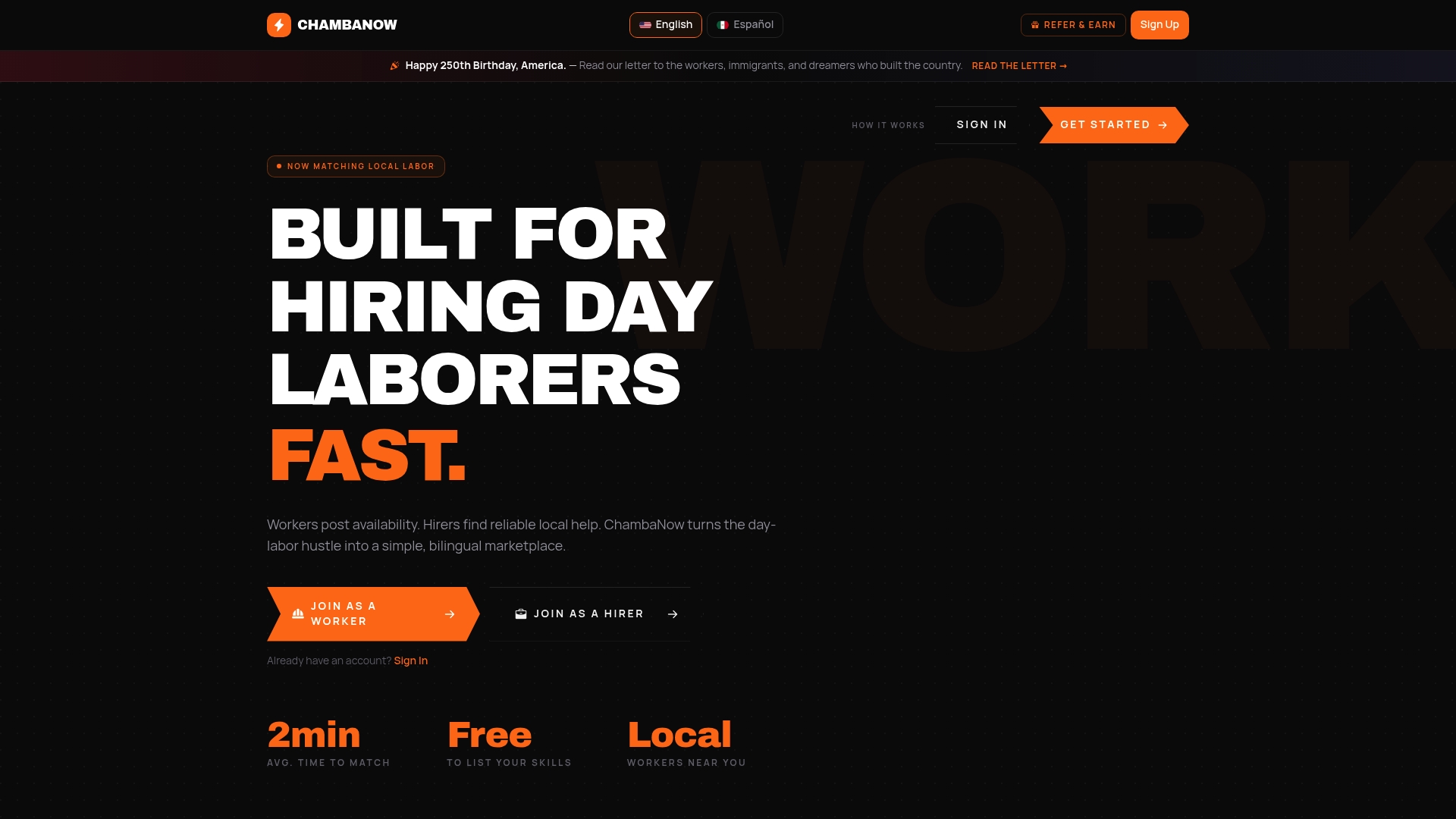
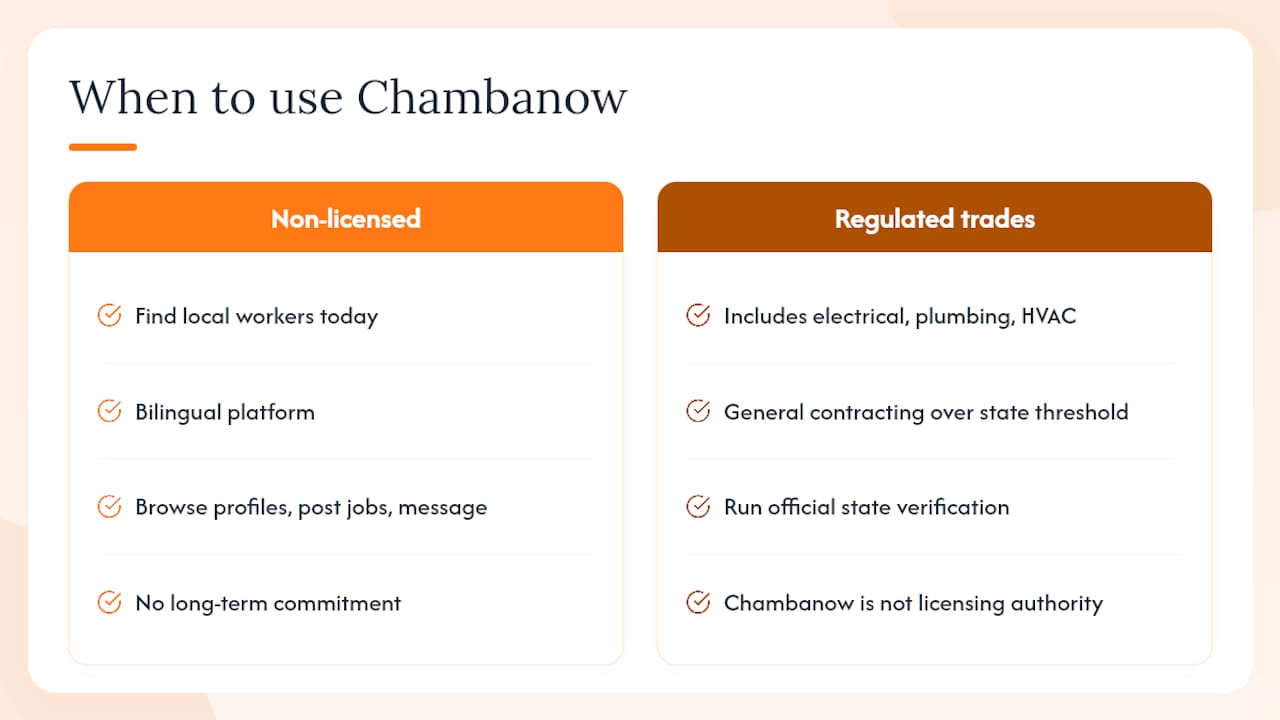
For general labor, day work, and skilled trades that do not require a state license, Chambanow connects hirers with local workers who are available today. The platform is bilingual, so communication barriers do not slow down the hiring process, and hirers can browse worker profiles, post jobs, and message candidates directly without a long-term commitment.
One important note: Chambanow is a hiring marketplace, not a licensing authority. For any regulated trade, including electrical, plumbing, HVAC, or general contracting above your state’s threshold, run the official state verification steps described in this article before work begins. Chambanow speeds the connection; the state portal confirms the credentials.
Ready to find available workers in your area? Browse local workers in Long Beach or check Chambanow’s hiring plans to post your first job today.
Sources
The right database depends on your state and the type of work. Most states route contractor licensing through one of two agencies: a dedicated contractor licensing board or a state department of labor and industry. Both are authoritative; they just hold different data.
- Verify a Contractor, Tradesperson or Business
- Check A License - CSLB - CA.gov
- Arizona Registrar of Contractors: Home
- Verify Public Search
Licensure and bond records are statewide. Permit and inspection records are local. You often need both.
To confirm you are on a legitimate government site, look for a .gov domain, the full agency name in the header, an SSL padlock in the browser bar, and a published phone number or mailing address for the agency.
Pro Tip: Some states publish official mobile apps for on-the-spot lookups. Only use an app that is linked directly from the agency’s .gov page. Louisiana’s LSLBC, for example, offers the La. Contractor app, which is listed on its official verify page.
Recommended
Building knowledge that works.