
Automatic Message Translation: How to Turn It On Everywhere
Unlock seamless communication with automatic message translation. Discover how to effortlessly translate messages in apps like Apple Messages and WhatsApp.

Automatic message translation converts an incoming text into your preferred language the moment it arrives, so you never have to copy a sentence into a separate translator app. Some of this is already sitting in your phone right now. Apple Messages, Google Chat, and WhatsApp each offer some version of it, and where a platform doesn’t build it in, a browser extension or a translation API usually fills the gap.
Here’s where to look first:
- Apple Messages: Live Translation runs on device through Apple Intelligence.
- Google Chat: Automatic Translation covers over 120 languages but sits off by default.
- WhatsApp: a long-press “Translate” action handles message-by-message translation.
- Everything else: browser extensions or cloud APIs like Google Cloud Translation or Azure Translator step in.
Key Takeaways
Automatic message translation works best as a layered approach: use built-in on-device tools for daily conversations, cloud APIs for scaling a product, and human translators for anything legally binding.
| Point | Details |
|---|---|
| Check built-in settings first | Apple Messages, Google Chat, and WhatsApp all offer some form of translation before you install anything extra. |
| Google Chat is off by default | Enable it manually through Settings > Automatic Translation, and expect up to 24 hours for language changes to apply. |
| Vet extensions carefully | Review permissions, developer reputation, and whether translation runs on-device or through a remote server. |
| Match the tool to the stakes | Use automatic translation for everyday chat and switch to certified human translation for legal or official records. |
| Chambanow removes hiring friction | Built-in bilingual messaging lets hirers and workers communicate instantly across languages during the hiring process. |
Table of Contents
- Which messaging apps already have automatic message translation?
- How do you turn on Live Translation in iPhone Messages?
- How do you enable Automatic Translation in Google Chat?
- What third-party tools add automatic translation where it’s missing?
- How many languages do these tools support, and how accurate are they?
- Does automatic translation happening on your device change your privacy?
- How do developers add automatic translation to their own apps?
- Why automatic translation matters when you’re hiring across languages
- Where automatic translation helps and where it falls short
- Try Chambanow’s bilingual messaging for your next hire
- Official documentation worth bookmarking
- Frequently asked questions about automatic message translation
- Sources
Which messaging apps already have automatic message translation?
Before you install anything, check your settings menu. A surprising number of messaging apps already have this feature buried a few taps deep, and it’s easy to miss because most of them ship it turned off.
Apple Messages leans on Apple Intelligence for on-device Live Translation, meaning the processing never leaves your iPhone. Google Chat added an automatic translation option that can detect and translate over 120 languages to whatever language you’ve set as your preference, but it stays off until you flip it on. WhatsApp took a lighter approach: instead of translating every incoming message automatically, it added a long-press Translate action that lets you translate a specific message when you need it.
Rocket.Chat, a platform many small businesses use for team chat, handles this differently again. Its Auto-Translate feature has to be configured by a workspace administrator before individual users ever see the option, and it connects to outside providers like DeepL or Google Translate rather than running its own model.
| Platform | Built-in translation | Where to find it | Requirements |
|---|---|---|---|
| Apple Messages | Yes, on-device | Message thread, per-conversation | iPhone with Apple Intelligence support |
| Google Chat | Yes, off by default | Settings > Automatic Translation | Google account |
| Manual, per-message | Long-press a message | Current app version | |
| Rocket.Chat | Yes, admin-controlled | Admin settings, then user preferences | Workspace admin setup |
A feature being available doesn’t mean it’s visible to you yet. Apple and Google both roll out translation capabilities gradually by region and OS version, so if you don’t see the option, checking for a software update is worth doing before you assume the feature is missing entirely.
How do you turn on Live Translation in iPhone Messages?
Yes, Apple Messages supports automatic translation through Live Translation, and it runs entirely on your device rather than sending your texts to a server. Apple’s own documentation confirms that translations happen on device, which matters if you’d rather your conversations not pass through outside servers at all.
Here’s how to turn it on:
- Open a conversation in Messages.
- Tap the contact’s name at the top of the thread.
- Select Translate and choose the languages you want to translate from and to.
- Send a test message to confirm the translation appears correctly.
- To stop translating a specific thread, return to the same menu and turn the toggle off.
Pro Tip: If you’re in a group chat where people mix two languages in the same conversation, Live Translation can occasionally mistranslate a sentence that switches languages mid-thread. Tap and hold any translated bubble to view the original text before you respond, especially for anything time-sensitive.
Apple Intelligence Live Translation requires a recent iPhone model and a current iOS version, so if the option doesn’t appear in your Messages settings, check your device’s Apple Intelligence compatibility first.
How do you enable Automatic Translation in Google Chat?
Google Chat’s automatic translation is a direct answer to a common complaint: message threads full of people who don’t share a first language. The feature can detect and translate more than 120 languages, but it ships off by default, so you have to switch it on yourself.
To turn it on:
- Open Google Chat on web, Android, or iOS.
- Go to Settings.
- Find Automatic Translation and toggle it on.
- Select your preferred language from the list.
- Give it time. Google notes that language preference changes can take up to 24 hours to fully apply across your account.
A few things worth knowing before you flip the switch:
- Translated text only appears to you. Other people in the chat see the original language unless they’ve enabled the feature themselves.
- The setting works with a standard Google account, though some Workspace administrators can restrict or manage it at the organization level.
- If you don’t see the option at all, your workspace admin may have turned it off for the domain.
What third-party tools add automatic translation where it’s missing?
Not every app you use has built-in translation, and that’s where browser extensions and helper tools come in. WhatsApp Web is the most common gap: the desktop version doesn’t automatically translate incoming messages, so people install extensions to bridge that.
Extensions in this category generally fall into a few types:
- Content-script translators that scan the page and overlay translated text without changing the underlying message.
- Full browser add-ons that add a translate button next to each message bubble.
- Standalone helper apps that sit alongside your messaging app and translate copied text on demand.
One example is a Chrome Web Store listing called “Automatic message translator”, which advertises translation across more than 100 languages for WhatsApp Web. Before installing anything like it, run through a short checklist: what permissions does it request, does it need access to every website you visit or just the messaging site, how many reviews does it have, and does the developer explain whether translation happens on your device or on a remote server.
Pro Tip: Test any new extension with a throwaway conversation first. Send yourself a message in another language and confirm the translation is accurate and that no odd permission prompts appear before you trust it with a real conversation.
How many languages do these tools support, and how accurate are they?
Coverage varies more than people expect. Google Chat’s automatic translation handles over 120 languages, while dedicated cloud services like Google Cloud Translation or Azure Translator support well over 100 languages with tiered accuracy options for businesses. Always check the specific product’s supported-language list rather than assuming coverage is universal, since a platform that supports 120 languages for chat may only support a fraction of that for voice or image translation.
Accuracy tends to drop in a few predictable situations:
- Very short messages, since the model has little context to work with.
- Slang, regional idioms, and abbreviations that don’t translate literally.
- Code-switching, where a sender mixes two languages inside one sentence.
Short, idiomatic texts are genuinely harder for translation models to parse than a full paragraph with clear context, so a one-word reply is more likely to come out wrong than a complete sentence.
Pro Tip: When a translation seems off, tap through to view the original text rather than trusting the translated version at face value, and for anything that matters, ask the sender to confirm what they meant.
Does automatic translation happening on your device change your privacy?
On-device translation keeps your message content on your phone instead of routing it through a remote server, and that distinction matters more than most people realize when they’re picking between features. Apple’s Live Translation processes text locally, which is part of why it works even without an internet connection in many cases. Cloud-based systems, by contrast, send text to a server to run the translation model, which usually means broader language support and more powerful models, but it also means your words pass through a third party’s infrastructure.
Neither approach is universally better. On-device translation favors privacy and low latency but can lag behind cloud models in language coverage and nuance. Cloud translation supports features like custom glossaries and centralized auditing that businesses often need, but that comes at the cost of sending message content off the device. Adoption of on-device translation is largely driven by exactly these privacy and speed concerns, and it’s worth knowing which model you’re using before you paste something sensitive into a chat.
Before trusting any tool with a private conversation, check three things: whether the app’s privacy documentation states where translation happens, whether translated text is visible only to you or to everyone in the thread, and whether a workspace administrator has any visibility into your messages if you’re using a company-managed account.
How do developers add automatic translation to their own apps?
If you’re building a product that needs automatic, scalable message translation, the answer is a cloud translation API rather than trying to train your own model. Google Cloud Translation, Azure Translator, and DeepL all offer this as a service, and each handles the job a little differently.
Google’s Cloud Translation API comes in Basic and Advanced tiers, with Advanced adding custom glossaries and a Document Translation API that preserves formatting across file types. Azure Translator supports adaptive custom translation along with synchronous and asynchronous document translation, plus containerized deployment for teams that need to self-host. DeepL’s API exposes options for glossaries and style rules, which matters if your product needs consistent terminology across thousands of messages.
A few practical notes before you pick one:
- Most cloud translation services bill by character count rather than a flat monthly fee, so cost scales with message volume.
- Authentication typically runs through an API key tied to your project or workspace.
- Self-hosted or containerized options exist for teams that need translation to stay inside their own infrastructure, similar to how AI assistant modules handle context-aware processing without sending every request to a third party.
- Read the quickstart docs before committing. Pricing tiers and language support change often enough that last year’s comparison chart may already be outdated.
Why automatic translation matters when you’re hiring across languages
A hiring conversation that stalls because of a language gap costs both sides time, and that’s exactly the friction automatic message translation is built to remove. When a hirer and a worker don’t share a first language, waiting on someone to translate a text back and forth can turn a same-day job into a missed opportunity.
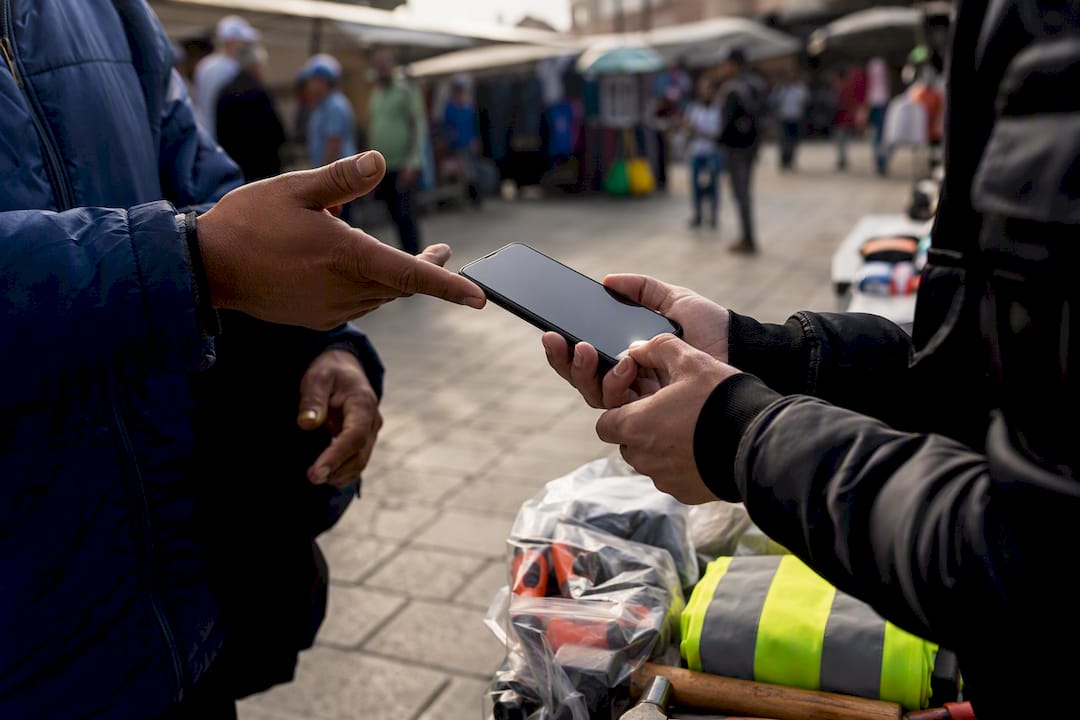
For everyday scheduling, confirming an address, or asking what tools to bring, on-device automatic translation is more than accurate enough. Save professional or certified translation for situations where the record itself matters, such as a signed agreement or documentation tied to a legal dispute.
This is the exact gap Chambanow was built to close for local hiring:
- Messaging between hirers and workers translates automatically, so a conversation in Spanish and one in English can happen in the same thread without either person switching apps.
- Bilingual worker profiles mean hirers can see skills and availability clearly regardless of language.
- Faster back-and-forth means faster time-to-hire, which matters most for same-day labor needs.
Where automatic translation helps and where it falls short
The honest verdict: automatic translation is genuinely good for everyday back-and-forth and genuinely risky for anything that needs to hold up later. A quick text about job hours or directions is exactly what it’s built for. A contract, a formal HR complaint, or anything tied to a legal proceeding is not.
Certified translation still requires a human linguist who can reconstruct metadata like timestamps and sender labels alongside the text itself, something no chat app’s built-in translator is designed to do. If the stakes are high enough that you’d need to produce a message thread as evidence or submit it for an official process, export the conversation and hand it to a professional translation service rather than relying on the same tool you used to confirm a meeting time.
Try Chambanow’s bilingual messaging for your next hire
Language shouldn’t slow down a job that needs to get done today. Chambanow’s bilingual marketplace was built around that exact problem: hirers and workers message each other in their own language, and automatic translation handles the rest, so a posting in English can get a response from a worker who’s more comfortable in Spanish without either person losing time on a translator app.
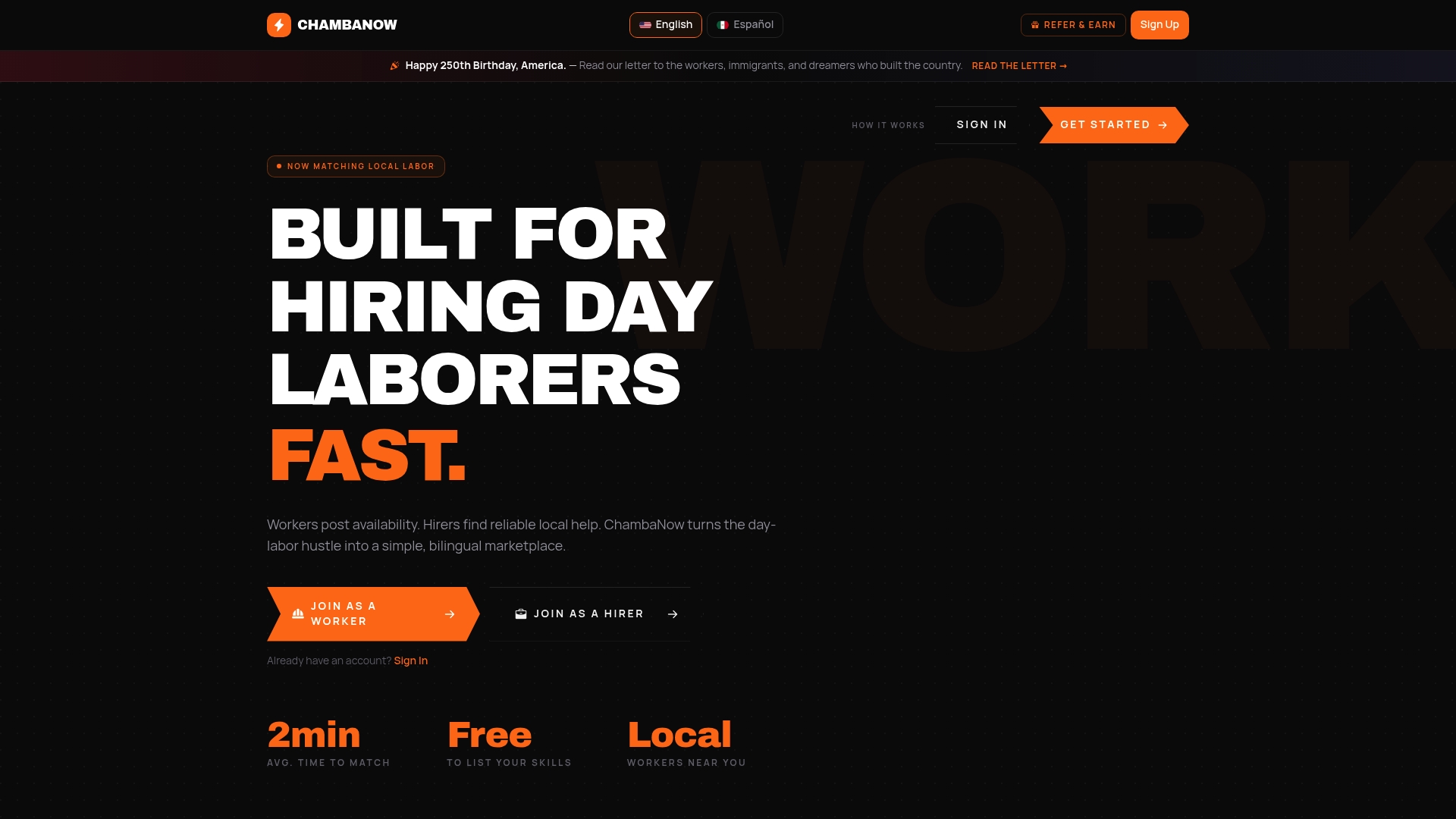
The platform combines a few pieces that work together: bilingual worker profiles that show skills and availability clearly, built-in translated messaging so hirers and workers never have to leave the app to communicate, and a faster path from job post to hire because nobody’s waiting on a manual translation. If you’re hiring in Los Angeles, browse available day laborers and see how quickly a bilingual conversation can turn into a filled job. Hirers who need ongoing access to messaging and posting tools can also check Hirer Plus pricing to see what’s included beyond the free tier.
Official documentation worth bookmarking
- Apple Support: Translate messages, calls, and conversations covers exact steps for enabling and disabling Live Translation.
- Google Workspace Updates: Translate for me in Google Chat explains rollout timing and default settings.
- Cloud Translation | Google Cloud details API tiers, pricing, and supported languages for developers.
- Rocket.Chat Auto-Translate documentation walks through admin-level configuration for team messaging.
- WhatsApp Blog: Introducing Message Translations describes the long-press translate flow.
Frequently asked questions about automatic message translation
Does automatic message translation work without an internet connection? On-device systems like Apple’s Live Translation can work offline in many cases since the translation model runs locally. Cloud-based tools like Google Chat’s Automatic Translation or most translation APIs require an internet connection because the text has to reach a server.
Can the person I’m messaging tell that I’m using automatic translation? Generally, no. Google Chat’s translated text is visible only to you, and the other person continues seeing the message in the language it was sent unless they’ve enabled translation on their own account.
Is automatic message translation accurate enough for business use? It’s accurate enough for routine scheduling and coordination, but slang, short replies, and idioms reduce reliability. For anything requiring precision or a record that might be reviewed later, pair automatic translation with human review.
What happens to images or voice messages when automatic translation is enabled? Most consumer messaging translation features only apply to typed text. Text embedded in images and spoken words in voice messages typically aren’t translated automatically unless the platform specifically supports optical character recognition or speech translation, which fewer apps currently offer.
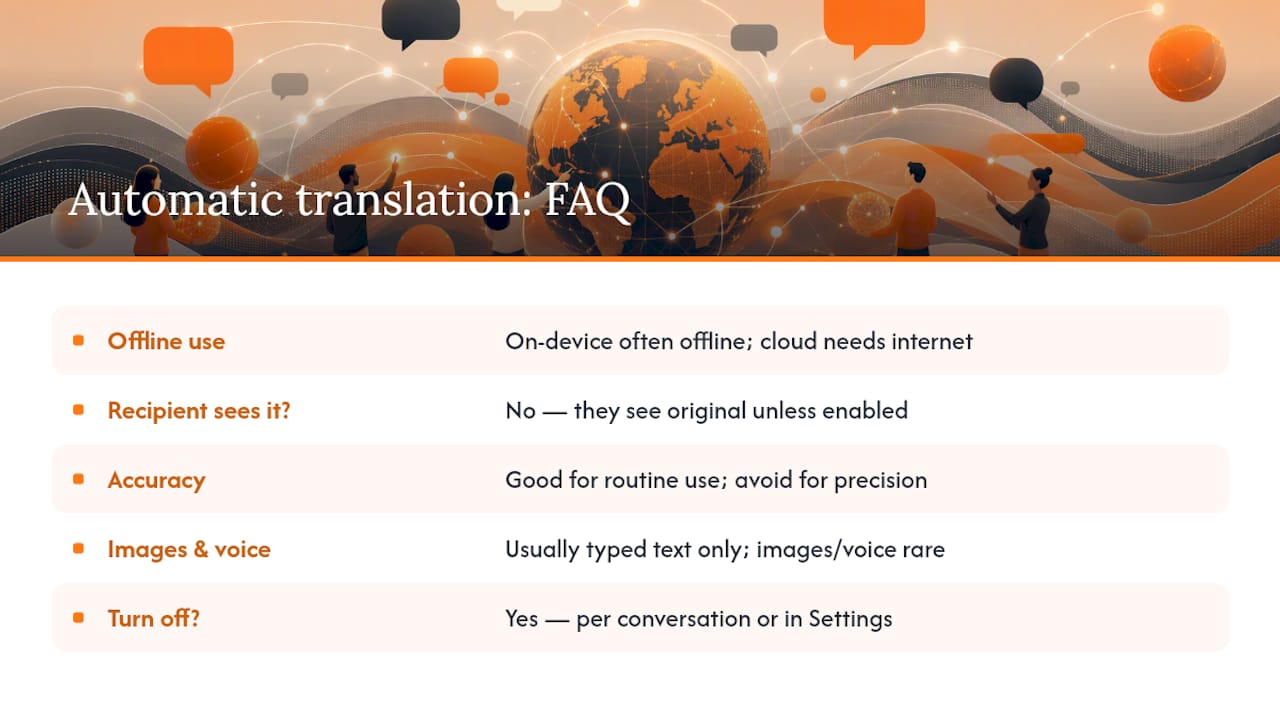
Can I turn automatic translation off if I don’t need it anymore? Yes. Apple Messages lets you disable translation per conversation from the same menu used to turn it on, and Google Chat’s Automatic Translation can be switched off anytime in Settings.
Sources
- Translate messages, calls, and conversations on iPhone - Apple Support
- Translate messages in-line from one language to another in Google Chat - Google Workspace Updates
- Azure Translator overview - Microsoft Learn
- Auto-Translate Messages - Rocket.Chat documentation
- Introducing Message Translations - WhatsApp Blog
Recommended
Construyendo conocimiento que funciona.